> ## Documentation Index
> Fetch the complete documentation index at: https://docs.lanetrax.app/llms.txt
> Use this file to discover all available pages before exploring further.
# Past Sessions
> Explanations on how to navigate, interpret, and delete past sessions!
## Navigating Past Sessions
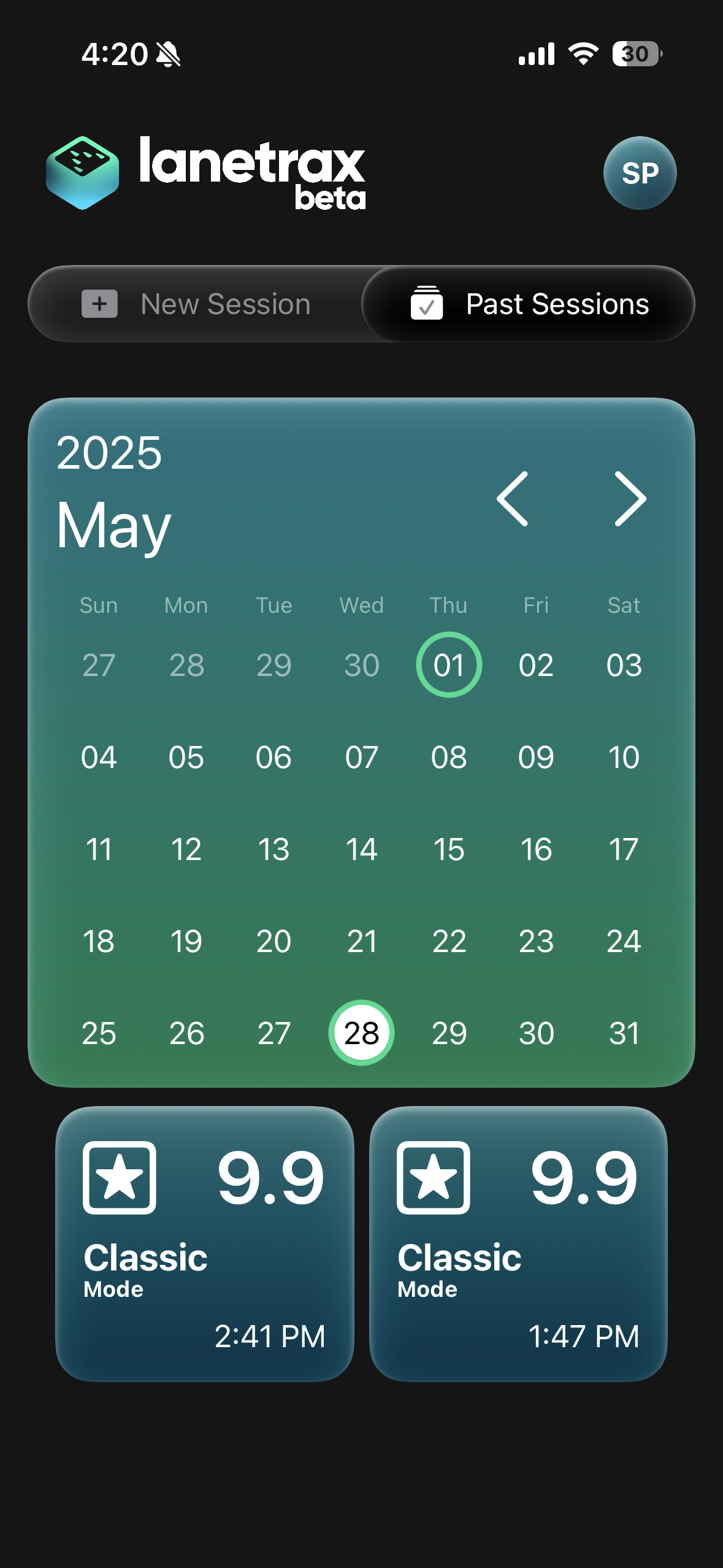 To revisit your previous games:
1. Open the **Past Sessions** tab in the main menu.
2. Browse the calendar and tap any date to view its sessions.
3. Select a session to see the full breakdown of your performance.
***
## Interpreting Your Stats
To revisit your previous games:
1. Open the **Past Sessions** tab in the main menu.
2. Browse the calendar and tap any date to view its sessions.
3. Select a session to see the full breakdown of your performance.
***
## Interpreting Your Stats
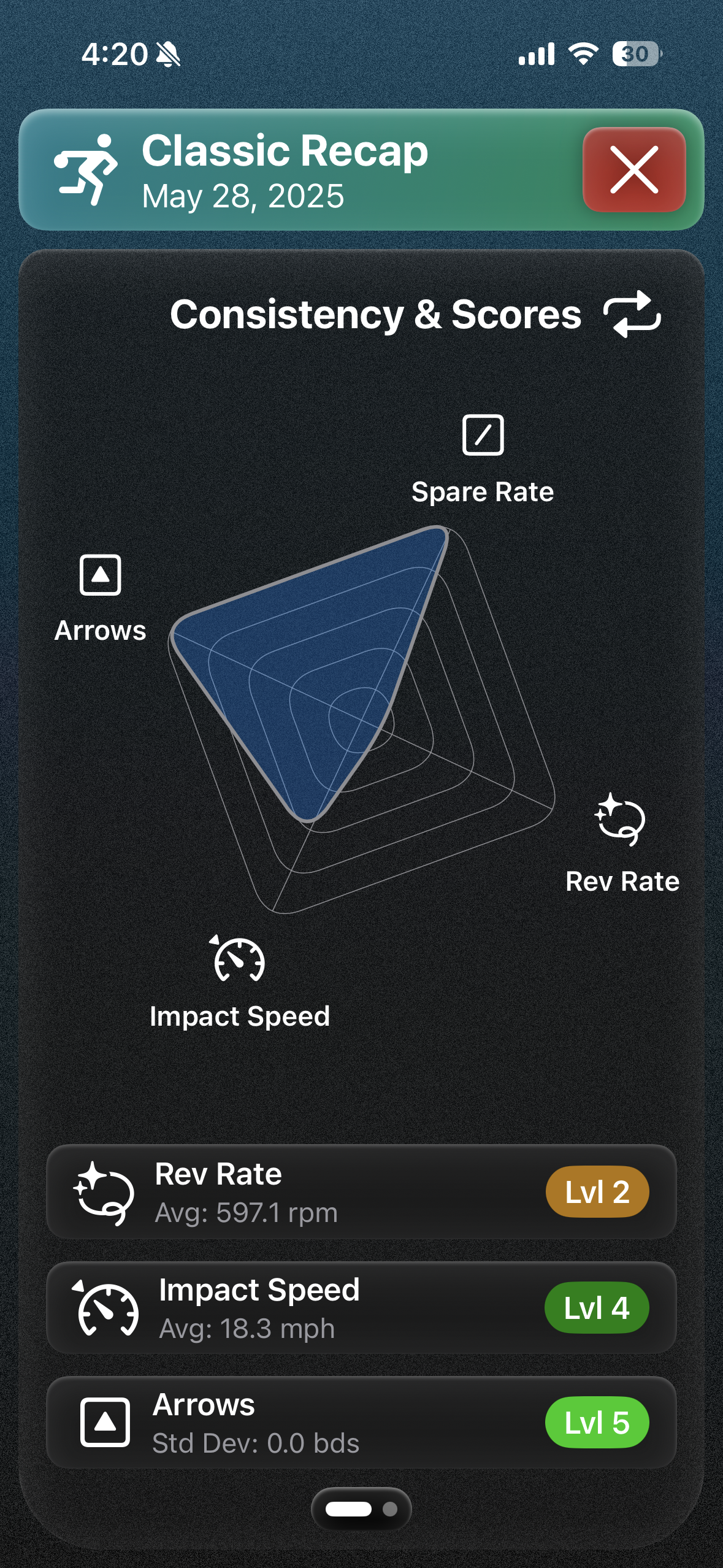 Each session includes rankings for your **strike** shots:
| **Level** | **Impact Speed** (SD) | **Arrows\[1]** | **RPM** (SD) | **Spare Conversion Rate** |
| :-------: | :-------------------: | :-----------------------: | :----------: | :-----------------------: |
| **5** | ≤ 0.3 mph | ≤ 1 | ≤ 10 | ≥ 90 % |
| **4** | ≤ 1 mph | ≤ 2 | ≤ 25 | ≥ 80 % |
| **3** | ≤ 1.5 mph | ≤ 3 | ≤ 50 | ≥ 65 % |
| **2** | ≤ 2 mph | ≤ 5 | ≤ 100 | ≥ 40 % |
| **1** | > 2 mph | > 5 | > 100 | \< 40 % |
***\[1] The Arrows metric discards the top 50% of arrow differences (to account for adjustments), then computes the average of the remaining 50%.***
Each session includes rankings for your **strike** shots:
| **Level** | **Impact Speed** (SD) | **Arrows\[1]** | **RPM** (SD) | **Spare Conversion Rate** |
| :-------: | :-------------------: | :-----------------------: | :----------: | :-----------------------: |
| **5** | ≤ 0.3 mph | ≤ 1 | ≤ 10 | ≥ 90 % |
| **4** | ≤ 1 mph | ≤ 2 | ≤ 25 | ≥ 80 % |
| **3** | ≤ 1.5 mph | ≤ 3 | ≤ 50 | ≥ 65 % |
| **2** | ≤ 2 mph | ≤ 5 | ≤ 100 | ≥ 40 % |
| **1** | > 2 mph | > 5 | > 100 | \< 40 % |
***\[1] The Arrows metric discards the top 50% of arrow differences (to account for adjustments), then computes the average of the remaining 50%.***
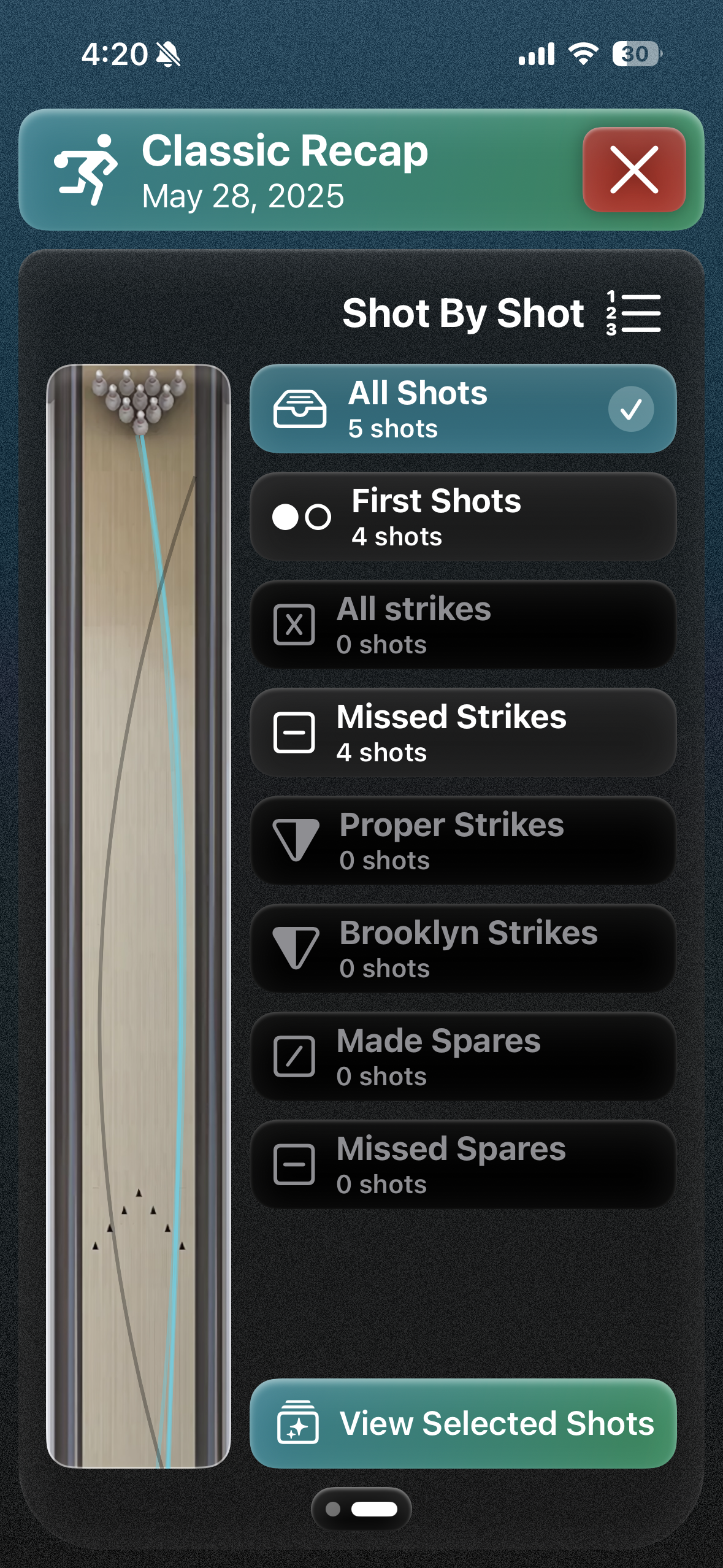 Use this shot-by-shot screen to switch between All Shots, Brooklyn Strikes, Missed Spares, and more.
***
## Deleting a Session
Use this shot-by-shot screen to switch between All Shots, Brooklyn Strikes, Missed Spares, and more.
***
## Deleting a Session
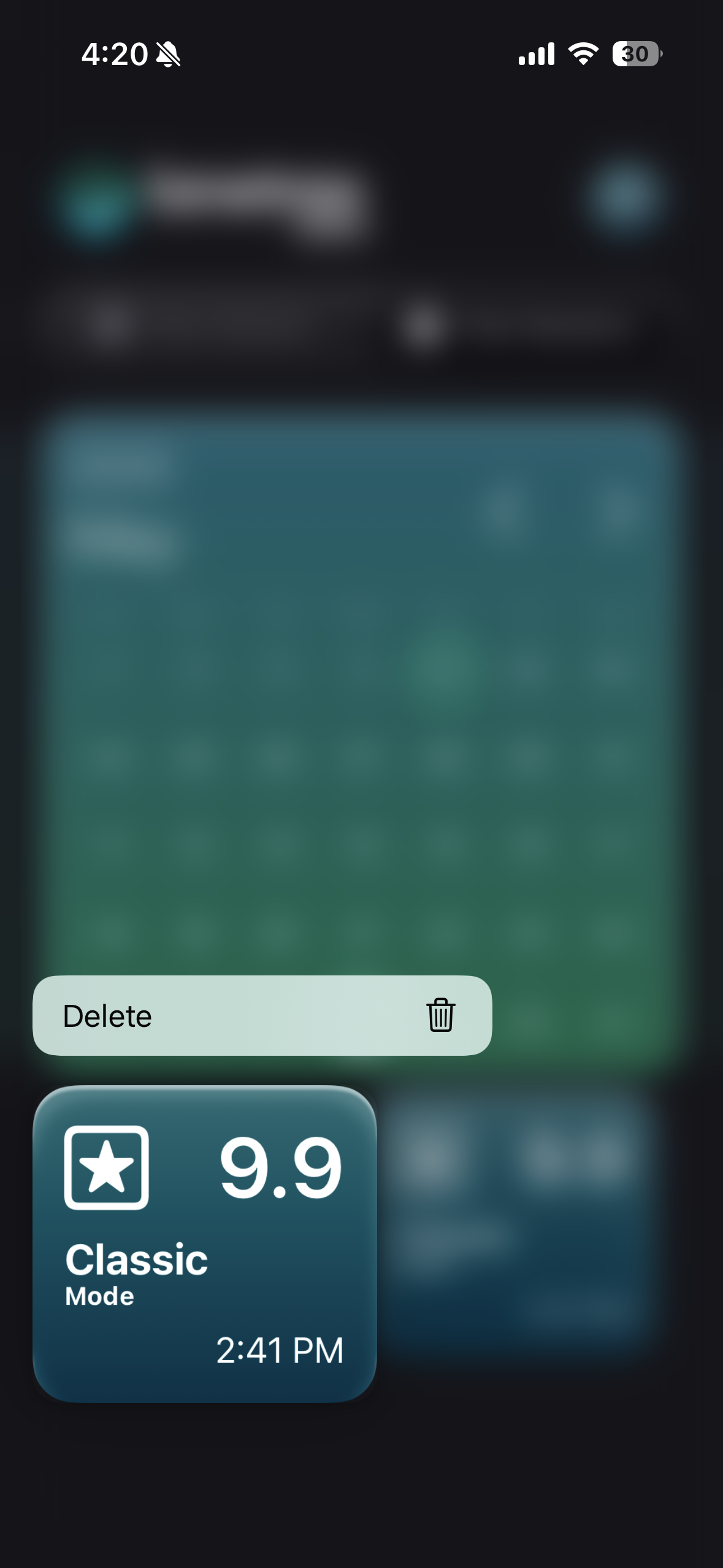 Follow these steps to remove a past session:
1. Return to the calendar view.
2. **Press and hold** the session entry you wish to delete.
3. Confirm when prompted to permanently erase it.
DELETING A SESSION IS **PERMANENT** AND CANNOT BE UNDONE.
Follow these steps to remove a past session:
1. Return to the calendar view.
2. **Press and hold** the session entry you wish to delete.
3. Confirm when prompted to permanently erase it.
DELETING A SESSION IS **PERMANENT** AND CANNOT BE UNDONE.